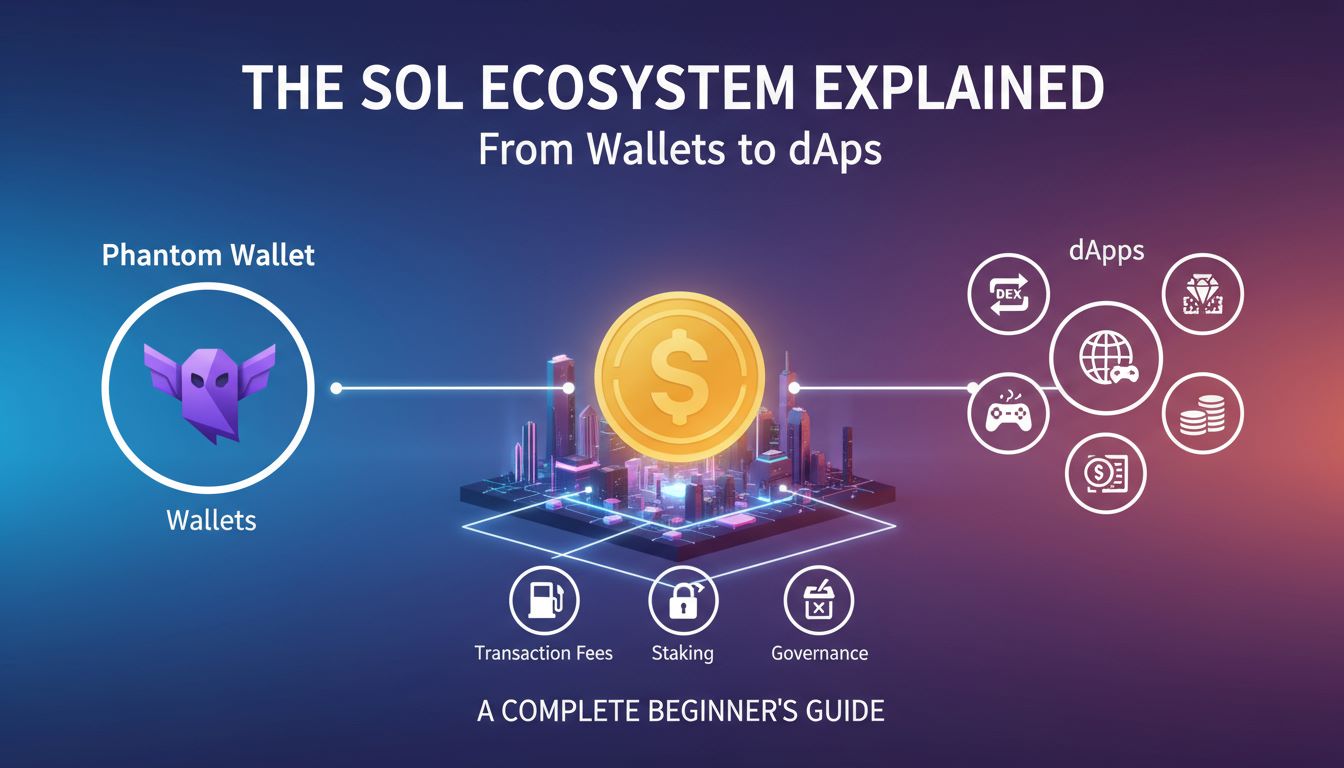
Solana has emerged as one of the fastest-growing blockchain ecosystems, delivering transaction speeds that can handle up to 65,000 transactions per second with sub-second block times and fees typically under $0.01. This impressive performance stems from Solana’s unique Proof of History consensus mechanism and innovative architecture that processes transactions in parallel rather than sequentially like traditional blockchains.
The SOL ecosystem has become a hotbed for decentralized finance (DeFi) platforms, NFT marketplaces, and Web3 gaming applications. With its developer-friendly environment and low barriers to entry, Solana attracts both creators building the next generation of decentralized applications and users seeking fast, affordable blockchain interactions without compromising on security or decentralization.
What Makes Solana Unique? Key Technology & Advantages
Solana’s breakthrough performance comes from several core innovations working together. The blockchain’s Proof of History (PoH) creates a verifiable passage of time between events, allowing validators to process transactions without waiting for network-wide consensus on timing. This pairs with Tower BFT, a practical Byzantine Fault Tolerance algorithm optimized for PoH’s time-stamped transactions.
Another key differentiator is Sealevel, Solana’s parallel smart contract runtime that can process thousands of contracts simultaneously. While other blockchains process transactions one by one, Solana’s architecture identifies non-conflicting transactions and executes them in parallel, dramatically increasing throughput.
The network’s validator requirements are designed to leverage modern hardware capabilities, including high-performance CPUs, substantial RAM, and fast SSD storage. This approach prioritizes performance while maintaining decentralization through economic incentives rather than artificially limiting hardware requirements.
These technological advantages translate into real-world benefits for users and developers. Applications can offer near-instant transaction confirmation, complex DeFi strategies become economically viable due to low fees, and developers can build sophisticated applications without worrying about prohibitive gas costs limiting user adoption.
| Feature | Solana | Ethereum | Other Chains |
|---|---|---|---|
| Transaction Speed | 65,000 TPS | 15 TPS | 100-7,000 TPS |
| Block Time | 400ms | 12-15 seconds | 1-6 seconds |
| Average Transaction Fee | $0.00025 | $1-50+ | $0.01-5 |
| Consensus Mechanism | Proof of History + PoS | Proof of Stake | PoS, DPoS, PoW |
| Smart Contract Runtime | Parallel (Sealevel) | Sequential (EVM) | Mostly Sequential |
Solana’s Consensus: Proof of History & Tower BFT
Proof of History represents Solana’s most innovative contribution to blockchain technology. Rather than requiring validators to communicate and agree on the time when transactions occurred, PoH creates cryptographic proof that specific events happened in a particular sequence. This works by generating a continuous chain of SHA-256 hashes, where each hash proves that time has passed since the previous hash.
Tower BFT builds upon this foundation by using PoH timestamps to reduce the communication overhead typically required in Byzantine Fault Tolerant systems. Validators can make decisions about transaction validity based on the cryptographic clock provided by PoH, rather than waiting for multiple rounds of consensus messages. This dramatically reduces the time needed to achieve finality.
The combination creates a system where validators can process transactions immediately upon receiving them, knowing they can later prove the exact order and timing of events. This approach maintains the security guarantees of traditional consensus mechanisms while achieving performance previously thought impossible in decentralized systems.
Transaction Costs and Network Throughput
Solana consistently processes between 2,000-4,000 transactions per second in real-world conditions, with theoretical capacity reaching 65,000 TPS under optimal network conditions. Block times average 400 milliseconds, meaning users typically see transaction confirmation in under half a second. These performance metrics make Solana suitable for applications requiring near-real-time responsiveness.
Transaction fees on Solana are denominated in lamports, where one SOL equals one billion lamports. A typical transaction costs around 5,000 lamports, translating to approximately $0.00025 at current SOL prices. This fee structure makes microtransactions economically viable and removes cost barriers that limit user engagement on other networks.
SOL: The Native Token Explained (Utility, Uses, Storage)
SOL serves as Solana’s native cryptocurrency, powering network operations and providing utility across the entire ecosystem. Unlike simple payment tokens, SOL integrates deeply into Solana’s economic model, creating value accrual mechanisms that benefit long-term holders while supporting network security and governance.
The token operates on a capped supply model with built-in deflationary pressure. While new SOL is minted as staking rewards for validators and delegators, a portion of transaction fees is permanently burned, reducing the total supply over time. This tokenomics design balances incentivizing network participation with creating scarcity value.
For beginners, SOL functions similarly to ETH on Ethereum – it’s required for transaction fees, smart contract interactions, and serves as the base trading pair for many SPL tokens. However, SOL’s minimal fees mean users don’t need to hold large amounts for regular network usage, making the ecosystem more accessible to new participants.
- Transaction Fees: Every Solana transaction requires a small SOL payment to validators, typically 0.000005 SOL regardless of transaction complexity or value transferred
- Staking Rewards: SOL holders can stake their tokens with validators to earn approximately 5-8% annual yield while contributing to network security and decentralization
- Governance Participation: SOL holders can participate in protocol governance decisions and validator voting, influencing the network’s future development direction
- dApp Interactions: Many decentralized applications require SOL for smart contract interactions, NFT minting, and accessing premium features or services
- Rent Exemption: Accounts storing data on Solana must maintain minimum SOL balances to remain active, with larger data requirements needing proportionally more SOL
- DeFi Collateral: SOL serves as collateral in lending protocols, liquidity pools, and derivatives platforms, unlocking additional yield opportunities for holders
How to Acquire and Store SOL
The most straightforward method to acquire SOL is through centralized exchanges like Coinbase, Binance, or Kraken, where users can purchase SOL with fiat currency or other cryptocurrencies. These platforms offer high liquidity and competitive pricing, making them ideal for first-time buyers. After purchase, users should transfer SOL to a personal wallet rather than leaving it on the exchange for security reasons.
Decentralized exchanges within the Solana ecosystem, such as Raydium or Orca, provide alternative acquisition methods for users already holding other cryptocurrencies. These DEXs often offer better rates for certain trading pairs and allow users to earn liquidity provider rewards while facilitating SOL trading for other users.
Secure SOL storage requires choosing between hot wallets for frequent transactions and cold storage for long-term holdings. Popular options include Phantom and Solflare for hot storage, offering seamless dApp integration, while hardware wallets like Ledger provide cold storage security. Users should always backup their seed phrases and consider multi-signature solutions for larger holdings.
Solana Wallets: Types, Features, and Security
Solana wallets serve as the gateway to the ecosystem, managing private keys, facilitating transactions, and connecting users to decentralized applications. Unlike simple cryptocurrency storage, modern Solana wallets integrate deeply with DeFi protocols, NFT marketplaces, and Web3 gaming platforms, making wallet selection crucial for user experience.
The wallet landscape spans from browser extensions optimized for dApp interactions to mobile applications designed for everyday use. Each wallet type offers distinct advantages: browser wallets excel at DeFi interactions, mobile wallets provide convenience and portability, hardware wallets maximize security, and desktop wallets offer advanced features for power users.
Security features vary significantly across wallet types, with considerations including private key storage methods, backup mechanisms, multi-signature support, and integration with hardware security modules. Users must balance convenience with security based on their usage patterns and risk tolerance.
When evaluating wallets, consider factors beyond basic SOL storage: SPL token support, NFT display capabilities, staking integration, dApp compatibility, and user interface design all impact daily usability. The rapidly evolving ecosystem means wallet features and security implementations change frequently, requiring users to stay informed about updates and new options.
Popular wallets have established themselves through community trust, developer support, and proven track records. However, newer wallets often introduce innovative features or improved user experiences, creating opportunities for users willing to evaluate emerging options carefully.
| Wallet | Type | Key Features | Best For |
|---|---|---|---|
| Phantom | Browser/Mobile | NFT support, staking, swap integration, sleek UI | Beginners, NFT enthusiasts |
| Solflare | Browser/Mobile/Web | Hardware wallet support, advanced staking, DeFi integration | Power users, security-focused |
| Ledger | Hardware | Cold storage, PIN protection, recovery seed | Long-term holders, maximum security |
| Trust Wallet | Mobile | Multi-chain support, built-in browser, token swap | Mobile-first users, multi-chain holders |
| Slope | Mobile | Social features, portfolio tracking, news integration | Social trading, portfolio management |
| Backpack | Browser | Exchange integration, advanced trading, social wallet | Active traders, social features |
Setting Up Your First Solana Wallet: Step-by-Step
Creating your first Solana wallet requires careful attention to security practices from the beginning. The setup process involves generating cryptographic keys that control access to your funds, making proper backup procedures essential before receiving any SOL or tokens.
Most users benefit from starting with a user-friendly browser wallet like Phantom, which offers excellent dApp integration while maintaining reasonable security for moderate holdings. The setup process takes just a few minutes but establishes the foundation for all future Solana ecosystem interactions.
- Download and Install: Visit the official Phantom website and install the browser extension from your browser’s official extension store, avoiding unofficial sources that might contain malicious software
- Create New Wallet: Launch Phantom and select “Create New Wallet,” which will generate a unique 12-word seed phrase that mathematically derives your private keys
- Secure Your Seed Phrase: Write down the 12-word recovery phrase on physical paper and store it in a secure location separate from your computer, as this phrase provides complete access to your wallet
- Verify Backup: Complete the seed phrase verification by entering the words in the correct order to ensure you’ve recorded them accurately before proceeding
- Set Strong Password: Create a strong password for daily wallet access that differs from other accounts and combines letters, numbers, and special characters
- Enable Security Features: Activate available security options like auto-lock timers and transaction confirmation requirements to protect against unauthorized access
Wallet Security Tips: Keeping Your Assets Safe
Wallet security extends beyond initial setup, requiring ongoing vigilance and best practices to protect against evolving threats. The decentralized nature of blockchain means users bear full responsibility for securing their assets, making security knowledge essential rather than optional.
- Never Share Seed Phrases: Your 12-24 word recovery phrase should never be entered into websites, shared with others, or stored digitally, as anyone with access can drain your wallet completely
- Use Hardware Wallets for Large Amounts: Transfer significant SOL holdings to hardware wallets like Ledger, which keep private keys offline and require physical confirmation for transactions
- Verify Website URLs: Always double-check website addresses before connecting your wallet, as phishing sites often use similar domains to steal credentials and drain funds
- Regular Software Updates: Keep wallet software updated to the latest versions to benefit from security patches and new protection features against emerging threats
- Multiple Wallet Strategy: Use separate wallets for different purposes – one for daily transactions, another for long-term storage, and potentially a third for experimental dApps with higher risk
How to Connect Your Wallet to Solana dApps
Connecting your wallet to decentralized applications represents your entry point into Solana’s ecosystem of DeFi protocols, NFT marketplaces, and Web3 games. This process establishes a secure communication channel between your wallet and dApps while maintaining control over transaction approval and asset access.
The connection process follows web3 standards that prioritize user control and transparency. When connecting to a dApp, your wallet shares only your public address initially, allowing the application to display your token balances and transaction history without accessing funds. Any transaction requiring SOL or token movement must be explicitly approved through your wallet interface.
Modern Solana wallets streamline this process through browser integration and mobile app protocols. However, users must remain vigilant about which applications they connect to, as malicious dApps can present misleading transaction requests designed to drain funds or steal valuable NFTs.
- Navigate to dApp Website: Visit the official website of the decentralized application you want to use, carefully verifying the URL to avoid phishing sites that mimic popular platforms
- Locate Connect Wallet Button: Find the wallet connection button, typically labeled “Connect Wallet,” “Connect,” or displaying wallet icons in the top navigation area
- Select Your Wallet: Choose your wallet from the list of supported options – most Solana dApps support Phantom, Solflare, and other popular wallets
- Approve Connection Request: Review the connection request in your wallet popup, ensuring the website URL matches your expectations before clicking “Connect” or “Approve”
- Verify Connection Status: Confirm successful connection by checking that the dApp displays your wallet address and relevant token balances in the user interface
- Test with Small Transaction: For new dApps, consider testing functionality with a small transaction amount before committing significant funds to verify everything works correctly
Troubleshooting Connection & Transaction Issues
Connection problems between wallets and dApps often stem from browser settings, network congestion, or software conflicts. Understanding common issues and their solutions helps users maintain smooth ecosystem interactions without losing funds or missing opportunities.
- Clear Browser Cache: Remove cached data and cookies for both the wallet extension and dApp website, then restart your browser and attempt connection again
- Check Network Settings: Ensure your wallet is connected to Solana mainnet-beta rather than testnet or devnet, as many dApps only function on the main network
- Disable Conflicting Extensions: Temporarily disable other wallet extensions or ad blockers that might interfere with web3 connection protocols
- Refresh and Retry: If transactions fail or connections drop, refresh the dApp page and reconnect your wallet, as temporary network issues often resolve automatically
- Increase Slippage Tolerance: For DEX transactions that repeatedly fail, increase slippage tolerance settings to account for price movement during transaction processing
Approving Transactions Securely in dApps
Transaction approval represents the critical security checkpoint where users maintain control over their assets. Each transaction request displays specific details about what the dApp wants to do with your tokens, requiring careful review before approval to prevent unauthorized transfers or malicious smart contract interactions.
Solana’s fast transaction speeds mean approved transactions execute almost immediately, leaving no opportunity to cancel once confirmed. This makes pre-approval review essential, as users cannot rely on slow confirmation times to catch and reverse mistakes like on other networks.
Major Sectors in the Solana Ecosystem: DeFi, NFTs, Gaming & More
Solana’s ecosystem spans diverse sectors, each leveraging the network’s speed and low costs to enable previously impossible applications. DeFi protocols offer sophisticated trading strategies without prohibitive gas fees, NFT marketplaces handle high-volume trading efficiently, and blockchain games provide responsive gameplay experiences that rival traditional gaming platforms.
The ecosystem’s maturity shows in its sector diversity and depth. Rather than simple copies of Ethereum applications, many Solana projects innovate around the network’s unique capabilities, creating entirely new user experiences and business models that wouldn’t be viable on slower, more expensive networks.
Cross-sector integration characterizes the most successful Solana projects, with DeFi protocols incorporating NFT collateral, gaming platforms integrating DeFi mechanics, and social applications leveraging both NFTs and token incentives. This integration creates network effects that strengthen the entire ecosystem.
Developer activity continues expanding into emerging sectors like decentralized physical infrastructure, prediction markets, and creator economy platforms. The low barrier to experimentation on Solana encourages innovation, leading to rapid iteration and the emergence of entirely new application categories.
| Sector | Description | Example Projects | Use Cases |
|---|---|---|---|
| DeFi | Decentralized finance protocols for trading, lending, yield farming | Raydium, Orca, Mango Markets | Token swaps, liquidity provision, leveraged trading |
| NFTs | Digital collectibles and utility-driven non-fungible tokens | Magic Eden, Solanart, Tensor | Art collecting, gaming assets, membership tokens |
| Gaming | Blockchain-based games with real ownership and earning mechanics | Star Atlas, Aurory, DeFi Land | Play-to-earn, asset ownership, competitive gaming |
| Infrastructure | Tools and services supporting ecosystem development | Serum, Pyth Network, Metaplex | Price feeds, NFT standards, development tools |
| Social | Community platforms with tokenized engagement and governance | Grape Protocol, Only1, Dialect | Token-gated communities, creator monetization, messaging |
| Payments | Digital payment solutions for merchants and consumers | Solana Pay, Sphere, Streamflow | Point-of-sale, subscription payments, payroll |
Top dApps to Try in Each Sector
Exploring Solana’s ecosystem becomes more manageable by starting with established applications that demonstrate each sector’s potential. These applications offer proven user experiences, strong security track records, and active communities that provide support for new users navigating the ecosystem.
- Raydium (DeFi): An automated market maker and DEX that offers token swapping, liquidity mining, and yield farming with some of the deepest liquidity pools in the Solana ecosystem
- Magic Eden (NFTs): The largest Solana NFT marketplace featuring comprehensive collection discovery, advanced filtering tools, and integrated rarity rankings for informed collecting decisions
- Jupiter (DeFi): A DEX aggregator that finds the best prices across multiple Solana exchanges, optimizing trades for both price impact and fees while supporting advanced order types
- Phantom Wallet (Infrastructure): Beyond basic wallet functions, Phantom provides integrated swapping, staking, and dApp browsing, making it an essential tool for ecosystem participation
- StepN (Gaming/Social): A move-to-earn application that gamifies physical activity through NFT sneakers, demonstrating how blockchain gaming can integrate with real-world activities
Cross-Chain and Bridge dApps
Cross-chain bridges enable asset movement between Solana and other blockchain networks, expanding users’ access to liquidity and opportunities across the multi-chain ecosystem. Popular bridges like Wormhole and Allbridge connect Solana to Ethereum, Polygon, and other major networks, though users must understand the security tradeoffs and risks involved in cross-chain transactions.
Using bridges requires careful attention to supported assets, fees, and processing times, as each bridge implements different security models and validator sets. Users should research bridge security audits, insurance coverage, and historical performance before transferring significant amounts, as bridge exploits represent one of DeFi’s most common attack vectors.
Participating in the Solana Ecosystem: Staking, Governance & Community
Active participation in Solana’s ecosystem extends beyond using applications to contributing to network security and governance through staking and community involvement. The network’s delegated proof-of-stake system allows SOL holders to earn rewards while supporting decentralization by choosing reliable validators who process transactions and secure the network.
Governance participation takes multiple forms, from validator selection that influences network decentralization to participating in protocol upgrade discussions and community proposals. While Solana doesn’t have formal on-chain governance like some networks, community input significantly influences development priorities and ecosystem fund allocation decisions.
- Delegate Staking: Stake SOL with chosen validators to earn approximately 5-8% annual rewards while contributing to network security without running validator hardware yourself
- Validator Selection: Research validator performance, commission rates, and community involvement to make informed delegation decisions that support network decentralization
- Community Forums: Participate in discussions on Discord, Reddit, and governance forums to influence ecosystem development priorities and connect with other builders and users
- Developer Contribution: Contribute to open-source projects, write documentation, or provide feedback on new protocols to help improve the overall ecosystem user experience
- Educational Content: Create tutorials, guides, or educational content that helps onboard new users and expands Solana’s community reach and understanding
- Hackathons and Events: Participate in Solana hackathons, conferences, and local meetups to network with developers, learn about new projects, and contribute innovative ideas
How to Stake SOL Step by Step
Staking SOL provides network security while generating passive income through validator rewards. The process involves delegating your tokens to a validator of your choice while maintaining full ownership and the ability to unstake at any time, though unstaking requires a cooling-off period of several days.
Choosing the right validator impacts both your returns and the network’s decentralization. Lower-commission validators provide higher returns, but factors like uptime, security practices, and community contribution should also influence your decision to support the ecosystem’s long-term health.
Most wallets integrate staking functionality directly, eliminating the need for complex command-line tools or third-party services. This built-in integration makes staking accessible to users of all technical levels while maintaining the security benefits of non-custodial delegation.
- Open Compatible Wallet: Launch a staking-enabled wallet like Phantom, Solflare, or Exodus that provides built-in delegation functionality and validator selection tools
- Navigate to Staking Section: Find the staking or delegation section within your wallet interface, typically located in the main menu or dashboard area
- Choose Validator: Research and select a validator based on commission rates, uptime performance, and community reputation using wallet-provided metrics or external validator ranking sites
- Set Stake Amount: Decide how much SOL to stake, keeping some unstaked for transaction fees and immediate liquidity needs since staked SOL cannot be used for transactions
- Confirm Delegation: Review the delegation transaction details including validator choice and stake amount, then approve the transaction to begin earning rewards
- Monitor Performance: Track your staking rewards and validator performance over time, considering redelegation if your validator’s performance or commission structure changes significantly
Risks, Challenges, and Security in the SOL Ecosystem
While Solana offers compelling advantages, users must understand the ecosystem’s risks and challenges to make informed decisions about participation levels and security measures. The network’s rapid growth and emphasis on performance create unique risk profiles different from more established blockchains.
Smart contract risks remain prominent across all DeFi activities, as complex protocols can contain bugs or design flaws that lead to fund losses. Solana’s parallel processing and account model create different attack vectors compared to Ethereum, requiring users to understand platform-specific risks when evaluating new protocols.
Network stability has historically been a concern, with several significant outages affecting transaction processing and dApp availability. While these issues have decreased in frequency as the network matures, users should understand that Solana prioritizes performance optimization over the conservative stability approach taken by some competing networks.
| Aspect | Pros | Cons |
|---|---|---|
| Network Performance | Ultra-fast transactions, minimal fees, high throughput | Historical outages, beta-stage stability, congestion sensitivity |
| Smart Contracts | Parallel processing, efficient execution, low costs | Limited audit history, complex account model, newer codebase |
| Ecosystem Maturity | Rapid innovation, strong developer activity, growing TVL | Fewer battle-tested protocols, smaller user base, limited tooling |
| Decentralization | Growing validator set, stake distribution improving | High hardware requirements, validator concentration risks |
| User Experience | Seamless interactions, mobile-friendly apps, low barriers | Wallet complexity, transaction finality confusion, fewer resources |
Best Practices for Staying Safe
Security in the Solana ecosystem requires proactive measures and continuous vigilance as the space evolves rapidly with new protocols, tokens, and potential threats emerging regularly. Users must develop security habits that protect against both technical vulnerabilities and social engineering attacks targeting crypto users.
- Start Small: Test new protocols and dApps with minimal amounts before committing significant funds, allowing you to understand functionality and identify potential issues without major risk
- Verify Smart Contracts: Check that protocols have undergone security audits by reputable firms and review audit reports for identified vulnerabilities and recommended fixes
- Use Multiple Wallets: Separate funds across different wallets based on risk levels – high-security storage for long-term holdings, medium-security for active trading, and experimental wallets for testing new protocols
- Monitor Transactions: Regularly review wallet activity and transaction history to quickly identify unauthorized access or suspicious activity that could indicate compromised security
- Stay Informed: Follow official project communications, security researchers, and community alerts to learn about new threats, protocol updates, and emerging best practices for ecosystem participation
How Solana Handles Network Upgrades and Outages
Solana’s approach to network upgrades emphasizes coordination between validators and core developers to implement improvements while maintaining network stability. Major upgrades typically undergo extensive testing on devnet and testnet before mainnet deployment, with validators given advance notice to prepare for required software updates.
When outages occur, the Solana community follows established procedures for network restart that require coordination among stake-weighted validators. This process can take several hours as validators must reach consensus on the restart point and ensure network state consistency before resuming transaction processing.
Getting Started: Practical Steps for New Users
Entering the Solana ecosystem requires a systematic approach that prioritizes security and gradual learning over rushing into complex DeFi strategies or speculative investments. New users benefit from starting with basic wallet setup and small transactions before exploring advanced features like yield farming or NFT trading.
The learning curve involves understanding not just technical aspects like wallet management and transaction approval, but also ecosystem-specific knowledge about different protocols, risk assessment, and community resources. Taking time to understand these fundamentals prevents costly mistakes and builds confidence for more advanced participation.
- Download Phantom Wallet: Install the Phantom browser extension from the official website and create a new wallet, carefully storing the 12-word recovery phrase in a secure physical location
- Purchase SOL on Exchange: Buy SOL from a reputable centralized exchange like Coinbase or Binance using fiat currency, starting with a small amount to familiarize yourself with the process
- Transfer SOL to Wallet: Send the purchased SOL from the exchange to your Phantom wallet address, double-checking the address before confirming the withdrawal transaction
- Explore Basic Features: Test wallet functionality by viewing your balance, exploring the interface, and practicing transaction approvals with small amounts to build familiarity
- Connect to Simple dApp: Try connecting your wallet to a basic application like Jupiter for token swapping, starting with minimal amounts to understand the connection and approval process
- Join Community Resources: Follow official Solana social media accounts, join Discord servers, and bookmark educational resources to stay informed about ecosystem developments and best practices
Top Resources to Deepen Your SOL Ecosystem Knowledge
Continuous learning remains essential in the rapidly evolving Solana ecosystem, with new protocols, features, and opportunities emerging regularly. The most valuable resources combine technical education with practical insights from experienced community members who understand real-world usage patterns and risk management.
- Solana Documentation: Official developer and user documentation provides comprehensive technical information about network features, wallet integration, and protocol specifications for deeper understanding
- Community Discord Servers: Active discussion channels for major projects like Raydium, Magic Eden, and Phantom offer real-time support, announcements, and insights from both developers and experienced users
- Educational YouTube Channels: Creators like Coin Bureau and Whiteboard Crypto provide accessible explanations of Solana concepts, project reviews, and ecosystem analysis for visual learners
- DeFi Pulse and DeFiLlama: Analytics platforms tracking Solana protocol metrics, total value locked, and yield opportunities help users identify trending projects and compare investment options
- Twitter Crypto Communities: Following Solana developers, project founders, and influential community members provides insights into ecosystem developments, new project launches, and expert perspectives on market trends